

- Joined
- Jun 16, 2023
- Messages
- 124
- Reaction score
- 11
- Points
- 18
- School name
- Universal
Since Adobe Flash was discontinued on December 31, 2020.
To view the interactive content in our forum, the Flash Emulator Extension should be installed on your browser (Chrome or Coc Coc).
Here are the steps you should follow to get Flash Emulator
1. open google and search : "flash emulator"
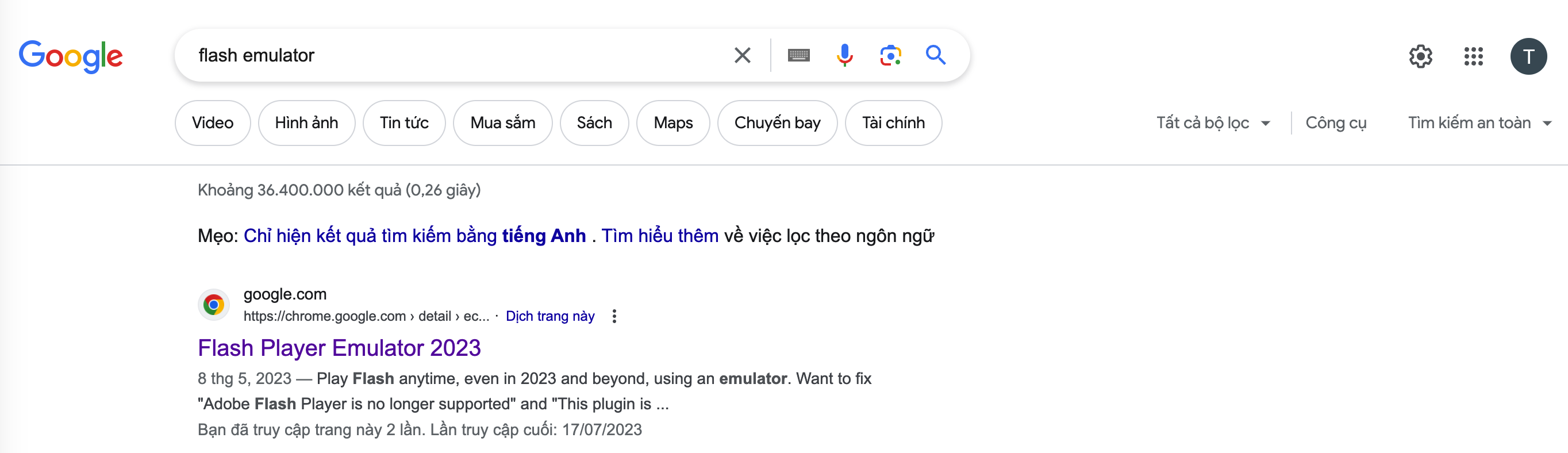
2. Click to the first link: Flash Player Emulator 2023
3. then Click install (or thêm vào chrome)
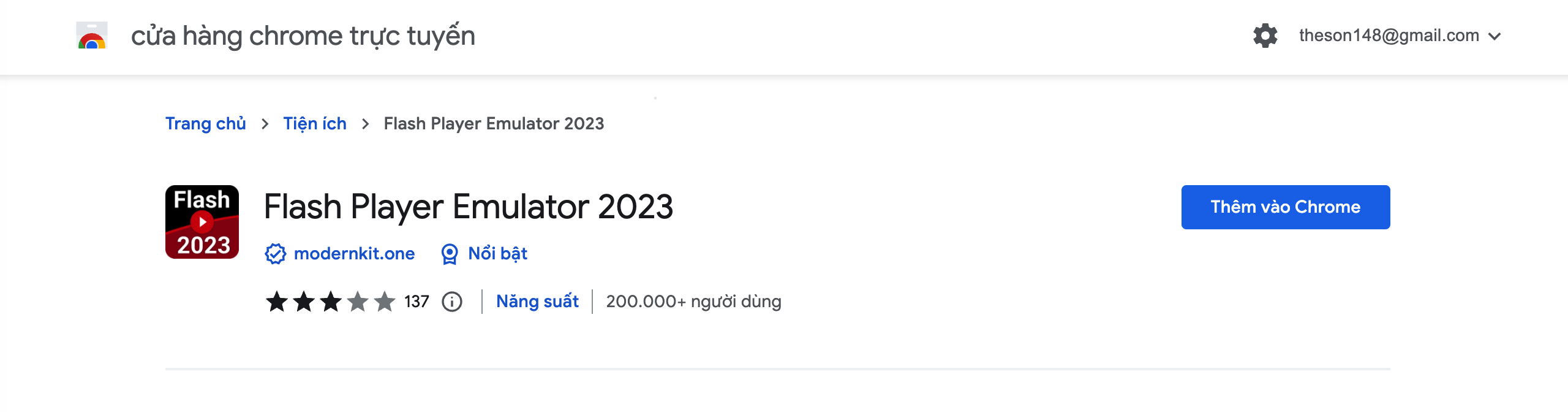
They may require you to login to your Google account, (as shown I already logged in to my account.)
This method works on both MacOs and Window.
Note: for iphone or IPad, install Puffin browser on Appstore.
To view the interactive content in our forum, the Flash Emulator Extension should be installed on your browser (Chrome or Coc Coc).
Here are the steps you should follow to get Flash Emulator
1. open google and search : "flash emulator"
2. Click to the first link: Flash Player Emulator 2023
3. then Click install (or thêm vào chrome)
They may require you to login to your Google account, (as shown I already logged in to my account.)
This method works on both MacOs and Window.
Note: for iphone or IPad, install Puffin browser on Appstore.
Last edited by a moderator: